








































5 'Lightning to hdmi' For Sale in Philippines
Save this search



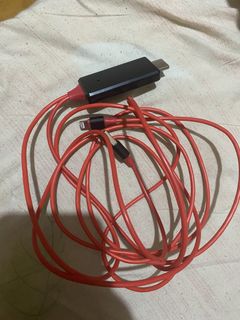
Description
- Red Lightning to HDMI adapter cable with built-in USB power connector - Easily connects iPhone or iPad directly to TVs, projectors, or monitors - Features a durable, long red cable for flexible setup - Tested and 100% working condition - Perfect for streaming movies, viewing photos, or mobile gaming on a bigger screen



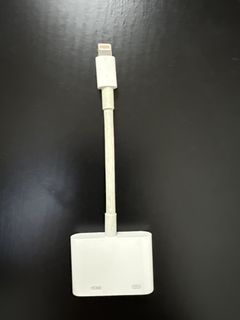
Description
Adapter connects your iPhone or iPad with a Lightning connector to your HDMI-equipped display. It supports mirroring of what is displayed on your device screen to your HDMI-equipped TV, display, projector, or other compatible display in up to 1080p HD. It also features a Lightning port for charging.

cutesymask
5 years ago
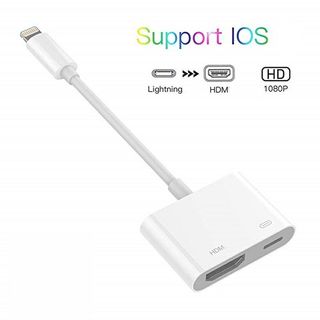
Description
Product Description Note: Need contact additional power(minimum output of 5V 1A). Need restart your device after connected. How to use: 1. Connect HDMI end to TV/Projector/Monitor's HDMI port 2. Connect an external 5V/1A(ipad need 5V/2A) adapter with USB end to power up this cable, note that power bank is not enough to make it works 3. connect the phone and click "Trust" can be used directly 4. Click the "SOURCE" key on your remote control, then choose "HDMI" signal source 5. Waiting for 15s, phone can be